Accountants and business owners in Australia face a tough question: how can they keep up with endless GST changes, ATO deadlines, and the mountain of receipts and invoices, all while running a business? Manual spreadsheets and paper files just don’t cut it now. The rise of accounting software Australia has changed bookkeeping from a slow, error-prone chore to a fast, digital process. But with all these cloud tools – Xero, MYOB, and a dozen others – figuring out the right system and how to use it well is its own challenge. If you’ve ever wondered how modern software is really shaping Australian bookkeeping, or what mistakes to avoid, you’re in the right place.
How Digital Accounting Software Is Changing Bookkeeping in Australia
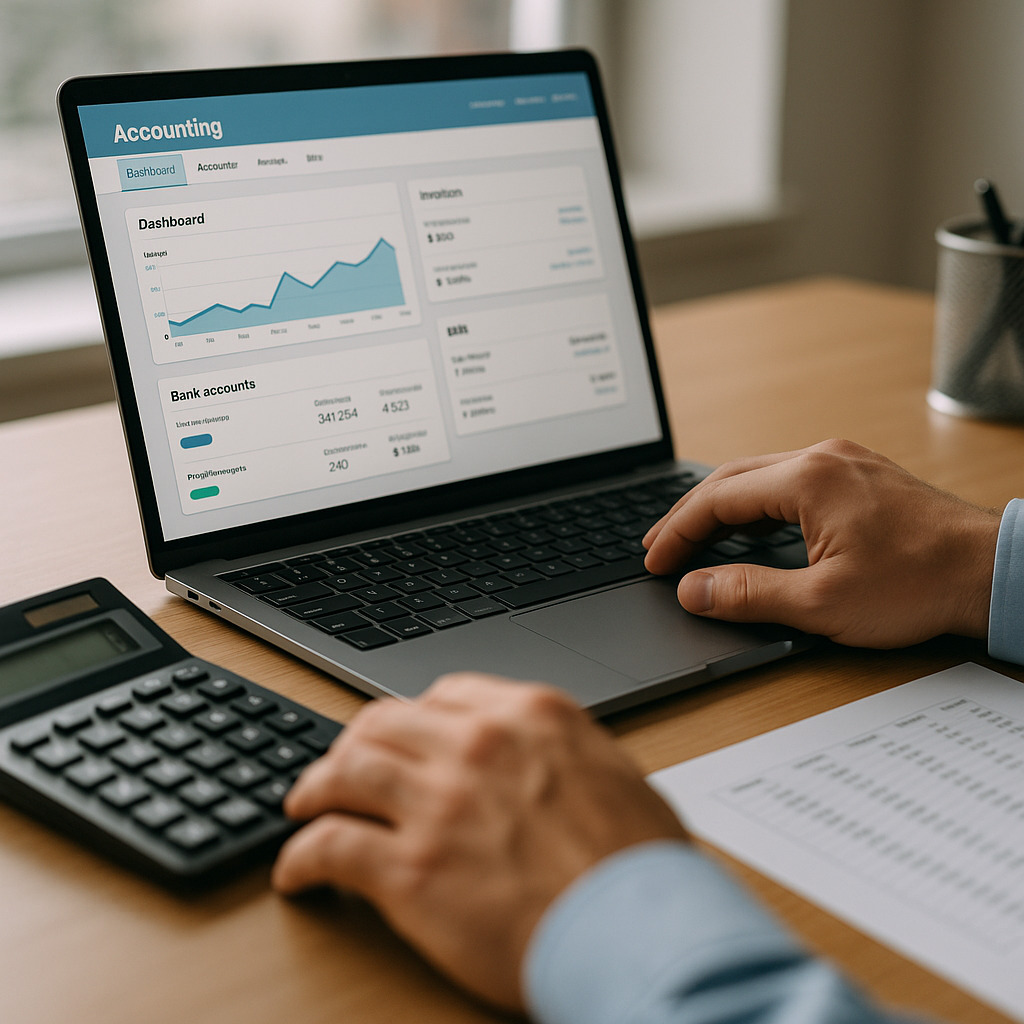
Modern accounting software in Australia, such as Xero and MYOB, has shifted bookkeeping towards automated, cloud-based, and real-time processes. Features like digital record keeping, GST compliance, and software integration with banks and ATO systems mean less manual data entry, fewer errors, and faster reporting. Businesses now access financial data anywhere, automate routine tasks, and keep up with changing regulations more easily.
Why Bookkeeping Has Changed So Much in Australia
For most of the 20th century, bookkeeping in Australia meant ledgers, paper invoices, and calculators. Even as computers arrived, early accounting programs were clunky and isolated – one mistake could throw off a whole year.
Now, the shift to cloud bookkeeping solutions and automated bookkeeping has happened because of:
-
Regular updates to Australian tax law (GST, BAS, superannuation)
-
The ATO moving to digital record keeping and e-lodgement
-
More small businesses, freelancers, and gig workers entering the market
-
Remote work and multi-location teams needing access to the same data
Old systems just can’t keep up. The ATO expects digital records and real-time reporting. If you can’t produce a clear audit trail, you risk fines. So, accounting software Australia isn’t just a nice-to-have – it’s almost mandatory for compliance and business survival.
Core Features of Modern Accounting Software in Australia
Accounting software has evolved far beyond basic double-entry. Here’s what sets today’s leading tools apart:
Cloud Bookkeeping Solutions
Most Australian businesses now use cloud-based software for bookkeeping. This means:
-
Accessing accounts from any device, anywhere
-
Automatic data backup (no more lost files)
-
Instant updates and bug fixes
-
Easier collaboration between bookkeeper, accountant, and business owner
Xero bookkeeping and MYOB bookkeeping are the most widely used in Australia, but QuickBooks Online and Reckon are also common.
Automated Bookkeeping and Data Entry
Manual data entry is slow and full of mistakes. Newer systems offer:
-
Bank feeds that sync transactions daily
-
OCR (optical character recognition) to scan receipts and invoices
-
Auto-categorisation using machine learning
-
Recurring invoice and bill scheduling
This means less time chasing paperwork and more time focusing on the numbers that matter.
Real-Time Financial Data and Reporting
One of the biggest shifts is real-time access. With cloud systems:
-
Profit and loss, cash flow, and GST reports update instantly
-
You can see your business health at a glance
-
No more waiting for month-end to spot cash issues
-
Easier to make decisions on hiring, stock, or tax planning
Software Integration and Add-Ons
Modern accounting software rarely works alone. Integration is now standard:
-
Direct bank feeds from major Australian banks
-
ATO integration for Single Touch Payroll (STP), BAS, and superannuation
-
Inventory, point of sale, eCommerce, and payroll add-ons
-
Payment gateways like Stripe, PayPal, and Square
This web of connected tools means fewer manual exports and imports, and a much smaller risk of errors.
Compliance, GST, and Regulatory Requirements
Digital Record Keeping Laws
The ATO expects digital records for most business activities. Under the Taxation Administration Act 1953 and GST law, businesses must:
-
Keep records for at least 5 years
-
Ensure records are easily accessible, readable, and secure
-
Provide records to the ATO on request
Cloud systems make this much easier, as files are timestamped and backed up.
GST and BAS Reporting
Australian businesses registered for GST must:
-
Issue valid tax invoices
-
Track GST on sales and purchases
-
Lodge Business Activity Statements (BAS) quarterly or monthly
-
Reconcile GST accounts and correct errors
Modern software automates GST tracking and can prefill BAS forms. Xero and MYOB can lodge BAS directly with the ATO, reducing the risk of manual mistakes.
Payroll and Single Touch Payroll (STP)
Since 1 July 2019, most employers must report payroll data to the ATO using STP-compliant software. Key requirements include:
-
Reporting gross wages, PAYG withholding, and superannuation every pay run
-
Using software that integrates with the ATO’s STP system
-
Keeping digital payroll records
Xero, MYOB, and QuickBooks Online all support STP reporting.
Superannuation Compliance
SuperStream rules require employers to pay super contributions electronically, using compliant software. Features in modern accounting software include:
-
Automatic calculation of super guarantee
-
Integration with super clearing houses
-
Digital records of payments and employee notifications
Comparing the Top Accounting Software in Australia
There’s no one-size-fits-all answer. But here’s a practical comparison of the most popular options for Australian businesses:
FeatureXeroMYOB BusinessQuickBooks OnlineReckon OneCloud-basedYesYesYesYesGST/BAS automationYesYesYesYesSTP payrollYesYesYesYes*Bank feedsYesYesYesYesInventory add-onYesYesLimitedLimitedeCommerce integrationYes (Shopify, etc)YesYesNoPrice (starter, per month)$29$30~$22~$12SupportEmail, ChatPhone, EmailPhone, EmailEmailATO integrationFullFullFullPartial
*Reckon One requires a paid add-on for full STP compliance.
How to Choose the Right Software
-
Start with your business size and sector. Freelancers may need less than a retailer with inventory.
-
Check if your accountant or bookkeeper has a preferred system.
-
Consider future needs: payroll, multi-currency, or warehouse management?
-
Always trial the software before committing.
How Bookkeeping Automation Works in Practice
Accounting software Australia now automates many steps once done by hand. Here’s a typical workflow for a small business:
-
Connect bank accounts – daily feeds import all transactions.
-
Upload or email receipts – OCR scans and files them.
-
Set up rules – software auto-categorises regular expenses.
-
Create and send invoices – customers can pay online.
-
Reconcile – match bank line items to sales, bills, and payroll.
-
Review GST and BAS reports – lodge directly with ATO.
-
Run payroll – STP data sent to ATO, super calculated.
-
Back up and archive records – digital files kept for 5 years.
Benefits of Automated Bookkeeping
-
Time savings: Some firms report up to 70% less time on data entry.
-
Fewer errors: Bank feeds and auto-matching reduce missed transactions.
-
Better compliance: Real-time checks for GST, payroll, and super.
-
Confidence: Instant reports for cash flow, profit, and tax.
Integration With Other Business Systems
Common Software Integrations
Today, accounting software Australia is rarely used alone. The most valuable integrations include:
-
POS and eCommerce: Shopify, WooCommerce, Lightspeed
-
Inventory: Unleashed, DEAR Inventory
-
Payroll and HR: Deputy, KeyPay, Employment Hero
-
Payment gateways: Stripe, PayPal, Square
-
CRM: HubSpot, Salesforce
Why Integration Matters
-
Cuts down double entry and manual errors
-
Gives a single view of sales, stock, and cash
-
Speeds up month-end and audit processes
How to Set Up Integrations
-
Check if your accounting software has a direct integration or requires a third-party connector (like Zapier).
-
Follow setup guides from both providers. This often means API keys or login authorisation.
-
Test the sync with dummy data before going live.
-
Review data mapping – make sure sales, GST, and payments land in the right accounts.
Digital Record Keeping: Practical Tips and Pitfalls
Best Practices
-
Always scan or photograph receipts the day you get them.
-
Attach digital copies to each transaction in your software.
-
Back up your data outside the main software (cloud drive or local storage).
-
Set up user permissions – only trusted staff should access sensitive data.
-
Use two-factor authentication to reduce hacking risk.
Common Mistakes
-
Relying on email or SMS as a permanent record (ATO may not accept this).
-
Not checking data backups or export options.
-
Ignoring software updates, which can leave you exposed to bugs or compliance gaps.
-
Letting old users keep access after they leave the business.
Security, Privacy, and Data Compliance
Australian businesses must comply with the Privacy Act 1988 and the Australian Privacy Principles (APPs) when handling financial data. Key requirements:
-
Store data in secure, encrypted systems (check where your provider hosts data – many use AWS in Sydney/Melbourne)
-
Only collect data needed for business purposes
-
Respond to data breach incidents promptly
-
Allow clients to access and correct their own records
Major software vendors (Xero, MYOB, Intuit) publish regular security and compliance updates. Always check the provider’s certifications and incident response plans.
Accounting Technology Trends in Australia
Rise of Bookkeeping Automation
Machine learning and AI are starting to shape Australian bookkeeping. Some trends include:
-
Automated GST and BAS checks
-
Predictive cash flow forecasting
-
Smart matching of invoices and payments
-
Voice-command data entry (still very early)
Cloud-First and Mobile Bookkeeping
-
More accountants and business owners use mobile apps to check balances, approve invoices, or snap receipts on the go.
-
Remote work has pushed firms to adopt cloud-only systems.
Increased Regulation and Digital Compliance
-
The ATO is expanding digital audits and expects instant record access.
-
New e-invoicing standards (Peppol framework) are rolling out, impacting how invoices are sent and received.
Integration With Government Services
-
Direct ATO integration for BAS, payroll, and super reporting is now the norm.
-
More state and federal agencies are moving to digital forms and lodgement.
Common Mistakes With Accounting Software in Australia
-
Choosing software based on price, not features or compliance needs
-
Not setting up GST codes correctly, leading to BAS errors
-
Ignoring automatic bank feed rules, which can miscategorise transactions
-
Letting subscription lapse, risking data loss or ATO non-compliance
-
Failing to train staff or review user permissions
-
Not reconciling accounts regularly, so errors build up
Best Practices for Australian Bookkeepers and Business Owners
-
Review your chart of accounts with an accountant before setup
-
Automate as much as possible, but check reports monthly
-
Keep both digital and backup copies of all source documents
-
Use audit trails to track who changed what and when
-
Stay updated on ATO requirements – subscribe to their updates or check with your accountant
Frequently Asked Questions
What is the best accounting software for small businesses in Australia?
Xero and MYOB are the most popular options for small Australian businesses due to their cloud features, ATO integration, and strong support. QuickBooks Online is also widely used. The best choice depends on your industry, size, and specific needs.
How does Xero bookkeeping help with GST and BAS in Australia?
Xero automates GST tracking on sales and purchases, prepares BAS reports, and allows direct BAS lodgement with the ATO. It also keeps digital records for compliance and makes GST reconciliation easier.
Is MYOB bookkeeping suitable for payroll and STP compliance?
Yes, MYOB Business and AccountRight support full payroll functions, including Single Touch Payroll (STP) compliance. They can report wages, PAYG, and superannuation directly to the ATO.
What are the ATO requirements for digital record keeping?
The ATO requires businesses to keep digital records that are accurate, complete, and accessible for at least 5 years. This includes invoices, receipts, payroll, and GST records. Records must be in English or easily converted.
How do I integrate my accounting software with my bank in Australia?
Most cloud accounting software in Australia provides direct bank feeds. Setup usually involves:
-
Logging into your accounting software
-
Selecting your bank and following the secure connection process
-
Authorising data sharing
-
Reviewing imported transactions for accuracy
What is bookkeeping automation and how does it work?
Bookkeeping automation uses software to handle tasks like data entry, bank reconciliation, GST tracking, and report generation. It reduces manual errors and saves time, letting business owners focus on running their operations.
Can accounting software help with superannuation compliance?
Yes. Most leading software calculates super guarantee, integrates with super clearing houses, and keeps digital payment records. This helps meet SuperStream compliance requirements.
What are the risks of using cloud bookkeeping solutions?
Risks include data breaches, accidental data loss, and reliance on internet access. Choose providers with strong security, regular backups, and local support. Always check data residency and privacy compliance.
How do I switch from manual bookkeeping to cloud software in Australia?
-
Export your current records (spreadsheets, paper files)
-
Set up your new software and chart of accounts
-
Import opening balances and contacts
-
Connect bank feeds and start recording transactions
-
Review with your accountant or bookkeeper
Is accounting software mandatory for Australian businesses?
While not legally mandatory, the ATO expects digital record keeping and electronic BAS lodgement for most businesses. Accounting software makes compliance much easier and reduces risk of penalties.
Can I use accounting software for multiple businesses or entities?
Most providers allow multiple businesses, but each usually requires its own subscription or file. Check with your software provider for multi-entity pricing and setup.
How often should I reconcile accounts in my accounting software?
Best practice is to reconcile bank, credit card, and loan accounts at least monthly. Some businesses reconcile weekly to spot errors early and keep reports up to date.
Modern accounting software has changed how bookkeeping is done in Australia. Automation, cloud access, and direct ATO integration have made compliance easier and errors less common. Still, you need to choose the right system, set it up properly, and keep up with changing laws. While software can do a lot, getting advice from a registered BAS agent or accountant is wise for tricky tax or payroll questions. The right setup saves time and gives you a clearer view of your business finances.